!Important! If you are using external spoofer. Always run the cheat first and then the spoofer. If you run the spoofer first and then the cheat, you will get banned.
External External products are better for undetection
In Built Spoofer This Product has a spoofer, so if you get banned you can easily bypass it.
Windows 11 Compatibility Exercise caution with newer Windows 11 versions as enhanced security features may affect functionality.
Required Files
Download all required files before starting:
Loader Installation Page
Password:
cheatvault
System Requirements
Hardware Compatibility
Processor support: AMD and Intel CPUs
Required BIOS settings: Virtualization enabled (VT-X for Intel / AMD-V for AMD)
Operating System
Windows 10 1903 or newer
Windows 11 23H2
note Insider builds are not officially supported for either Windows version
Display Requirements
NVIDIA GPU Setup
AMD GPU Setup
Installation Process
Launch loader with administrator privileges
Enter license key: Right-click to activate input
Press Enter to confirm
Configure optional components: Cleaner utility
Spoofer utility
Complete game launch sequence: Wait for CMD window closure
Launch game
Access menu with Insert key
Configure settings via web interface
Save configuration to C:\Windows
Troubleshooting Guide
Virtualization Issues
VMX/SVM not supported: Disable Virtual Machine Platform
Execute
bcdedit /set hypervisorlaunchtype offRestart system
Hardware-Related Errors
Intel VT-X/AMD-V errors: Enable appropriate virtualization in BIOS
HWID compatibility: Request reset through official channels
Software Dependencies
Failed dependencies: Remove antivirus software
Uninstall FaceIT/Vanguard
System restart required
Display Driver Issues
NVIDIA version incompatibility: Update through GeForce Experience
Alternative: Use NVIDIA App
Font Issues
Font download failure (-5): Manual download: ArialUnicodeMS.ttf
Installation path: C:\Windows\Fonts
Registry Configuration
Dependency error (1)(-5): Apply registry modifications
System restart required
Retry software launch
Error: Failed to allocate memory/to map memory (x)
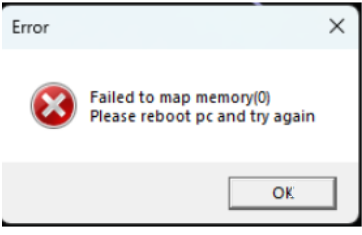
Solution:
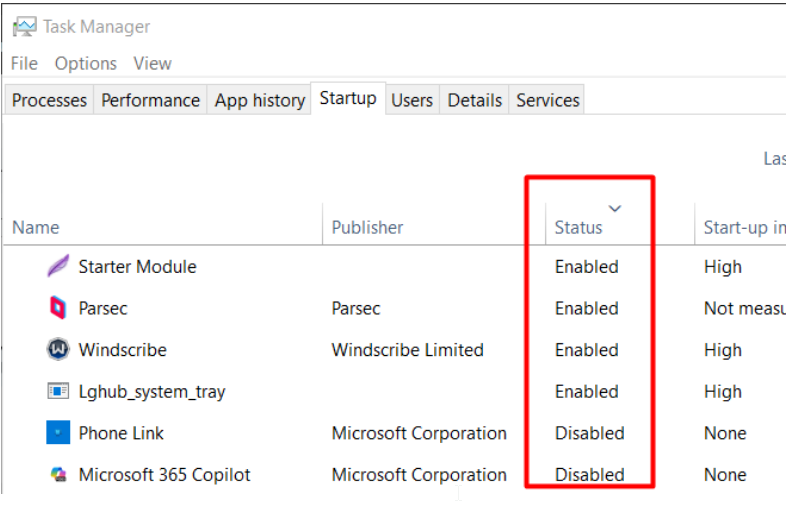
tip Disable every each auto start program in task manager