Advanced Only disable these if specifically instructed by support. These are security features that protect your system.
Disabling Exploit Protection
Quick Method (Per-Program)
Press
Windows + I→ Privacy & Security → Windows SecurityClick "App & Browser control" → "Exploit protection settings"
Click "Program settings" → "Add program to customize"
Choose "Add by program name"
Enter program name (e.g.,
loader.exe)Disable all protections for that program
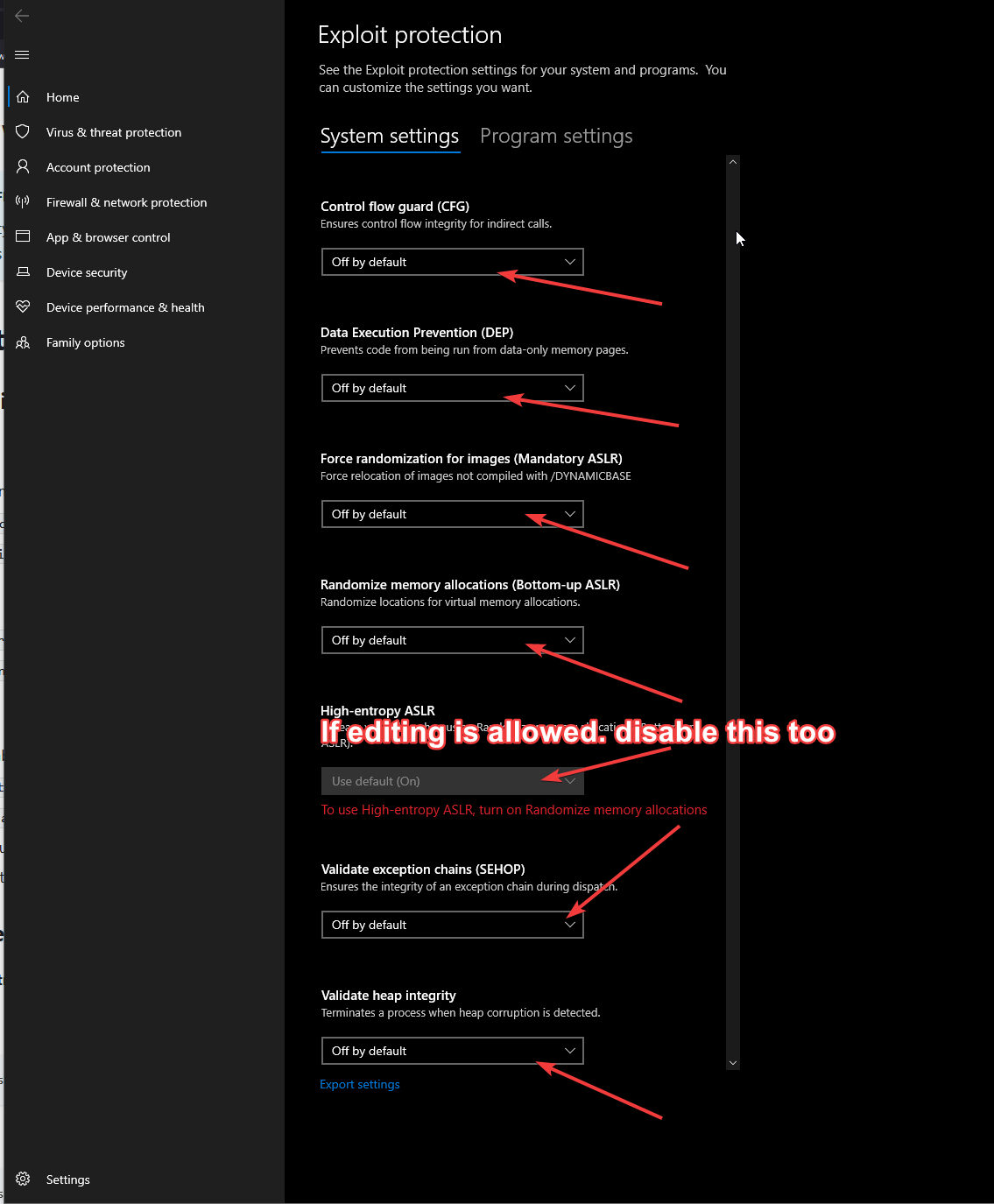
System-Wide Disable (PowerShell)
Set-ProcessMitigation -System -Disable CFG,DEP,ASLR,SEHOP,StrictHandle
Disabling Control Flow Guard (CFG)
Registry Method:
reg add "HKEY_LOCAL_MACHINE\SYSTEM\CurrentControlSet\Control\Session Manager\Memory Management" /v EnableCfg /t REG_DWORD /d 0 /f
Restart required after this change.
Disabling DEP (Data Execution Prevention)
bcdedit.exe /set {current} nx AlwaysOff
Restart required.
Quick Disable Script
Run PowerShell as Administrator:
# Backup current settingsGet-ProcessMitigation -System > "C:\security_backup.xml"# Disable protectionsSet-ProcessMitigation -System -Disable CFG,DEP,ASLR,SEHOP,StrictHandle# Registry changesreg add "HKEY_LOCAL_MACHINE\SYSTEM\CurrentControlSet\Control\Session Manager\Memory Management" /v EnableCfg /t REG_DWORD /d 0 /freg add "HKEY_LOCAL_MACHINE\SYSTEM\CurrentControlSet\Control\Session Manager\Memory Management" /v MoveImages /t REG_DWORD /d 0 /f# Disable DEPbcdedit.exe /set {current} nx AlwaysOff
Verify Changes
Check CFG:
Get-ProcessMitigation -System | Select CFG
Check DEP:
bcdedit.exe /enum {current} | findstr nx
Restore Security Features
From backup:
Set-ProcessMitigation -PolicyFilePath "C:\security_backup.xml"
Reset to defaults:
Set-ProcessMitigation -System -Reset
Important Create system restore point before changes Restart PC after making changes Windows Updates may re-enable features Only disable if absolutely necessary
For support, contact our team.